
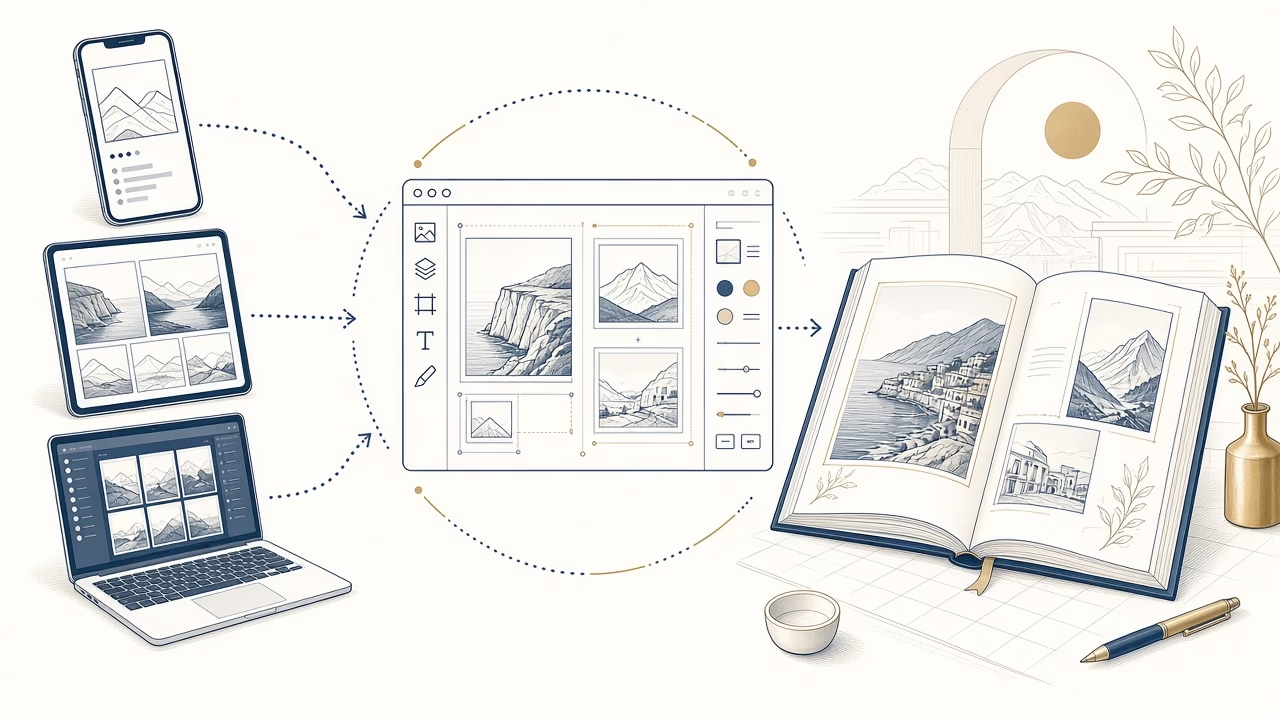
What is a photobook and how is it made?
A photobook is a book whose photographs, backgrounds and text are composed digitally before being printed as finished pages. Its maker controls sequence and layout instead of inserting separate prints into pockets or mounting them beneath sheets. The process combines picture selection, page design and a careful final review.
Photobook and slip-in album
In a slip-in album, photographs are printed separately and can be moved. In a photobook, the arrangement is printed into each page and remains part of the completed design.
Traditional, digital and photobook formats
A traditional album may hold mounted prints, while a digital album can exist only on a screen. A photobook is a physical printed book whose composition is prepared digitally.
Choosing format and cover
The format affects how landscape and portrait pictures sit together. Choose a cover that represents the subject, then check its title, spelling, crop and placement carefully.
Uploading and organising pictures
Gather original files, label folders and upload only the edited selection. Preparation reduces duplicates, prevents accidental omissions and makes page work more manageable on any device.
Designing the pages
Use consistent margins, a small family of repeated structures and a clear hierarchy. Do not fill every gap when a strong photograph benefits from space and prominence.
Resolution, ratio and margins
Enlarging a poor file cannot invent detail. Observe quality indicators, inspect crops and keep faces, text and other essential content sensibly away from vulnerable page edges.
The final proof
View pages in sequence and close up. Check empty frames, repeats, captions, background choices, cover details and whether the opening and closing pages give the story a deliberate shape.
Browser design and printing in Volos
Panorama’s tool works in a browser on phone, tablet or computer, with no app download. Upload photographs, choose a cover, arrange pages and place the order for printing in Volos.
For more detail, read the related Photo Panorama guide. You can create your own photobook online.
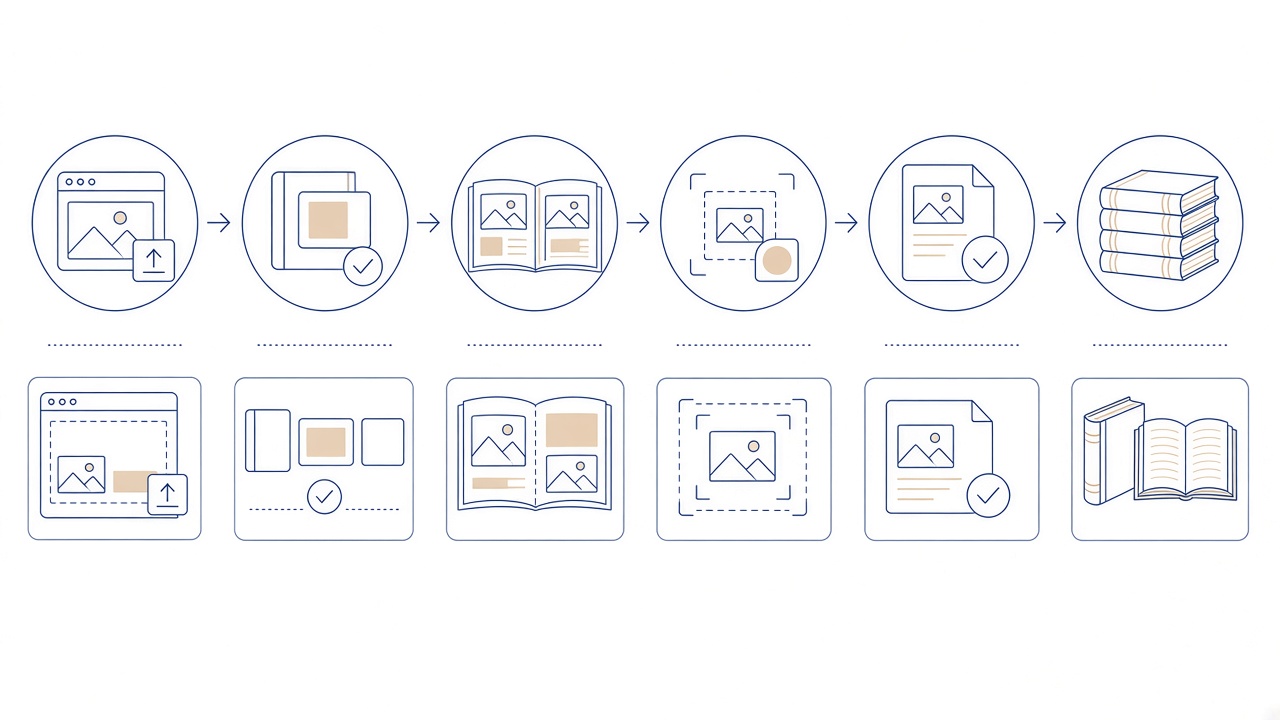
Building a photobook step by step
The process starts before the designer opens. Gather the best available files, remove obvious duplicates and decide on the subject. A folder used only for the book makes uploading clearer. You do not need to delete the remaining pictures from your archive; simply avoid carrying every file into the project.
Next choose a format and cover that suit the material. A collection dominated by landscape pictures needs different treatment from one made mainly of portraits. The cover should be recognisable at a glance, avoid an awkward crop of its principal subject and keep its title legible in the preview.
Across the inner pages, a small set of repeated layouts creates cohesion. Position pivotal pictures first, then build around them. Margins are not wasted space: they separate images and protect essential content near an edge. Too many unrelated backgrounds, frames and sizes can compete with the photographs themselves.
Online Photobook runs inside a phone, tablet or computer browser and requires no app download. Upload photographs, choose the cover, arrange pages and proceed to ordering. If you change device or connection during the work, first confirm that the project has been saved as expected before carrying on.
Before submitting the order for printing in Volos, perform two reviews. The first considers narrative and layout at a normal viewing scale. The second targets detail: quality warnings, cropped faces, empty frames, spelling, page sequence and cover. Never assume that an automatic arrangement knows which detail has personal importance.
What becomes fixed on the printed page
Because layout is printed into the page, pictures cannot be moved as they can in a pocket album. That is useful for a deliberate narrative, but selection, spelling and crop mistakes cannot be corrected simply by repositioning a print. Confirm uncertain names or dates before completion. If the preview does not show the important subject clearly, change the frame or layout. Decisions made in the browser determine the finished printed composition.
Frequently asked questions
Must I download an app to make a photobook?
No. Online Photobook runs in a browser on phone, tablet or computer. The process covers uploading photographs, choosing a cover, arranging pages and ordering without installing a separate application.
How does it differ from a slip-in album?
A slip-in album holds separate prints that can be moved. In a photobook, photographs, wording and backgrounds are printed as a finished composition on the pages themselves.
How should I choose a book format?
Consider the dominant picture orientation, how the book will be viewed and the character of the story. Format should serve the material; it cannot automatically make every landscape and portrait image comfortable in one arrangement.
Should I upload my entire photo library?
No. Edit first and upload the folder prepared for this project. A smaller organised set reduces duplication, speeds up finding files and clarifies which photograph belongs to each chapter.
Can every page use a different layout?
It can, but excessive variation often fragments the book. Choose a small family of repeating structures and alter scale where the importance of a photograph justifies extra emphasis.
What deserves attention on the cover?
Check title, spelling, clarity and crop. The principal subject should be recognisable quickly, and important content should not sit dangerously close to the preview boundaries.
How should I use a lower-quality photograph?
Search for the original file and observe the tool’s quality indication. If the picture is essential, a smaller frame may be appropriate. Increasing its size cannot add information absent from the source.
What should I inspect on the inner pages?
Review margins, alignment, repetition, empty frames, cropped faces and caption legibility. Then zoom out to judge consistency and pace across the complete book rather than isolated designs.
What does proofing before the order involve?
It covers the front cover, every page and every piece of wording. Make one pass for narrative and another for technical detail because familiarity with the design can conceal an obvious mistake.
How is the online order completed?
After uploading, designing and confirming the project in the browser, follow the ordering steps shown by the service. Contact Panorama about a special question rather than assuming a completion time.
Your next step
Start your photobook in the browser, choose a cover and review the finished design carefully.



