
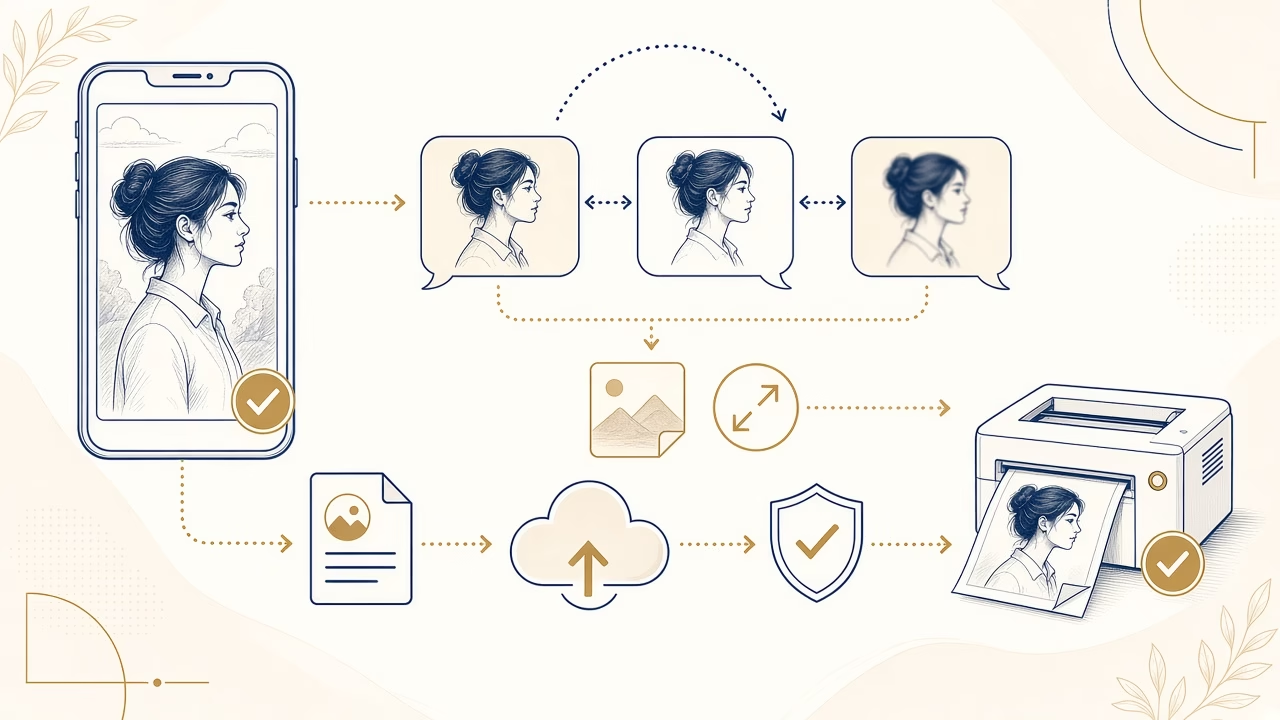
A photograph that looks acceptable inside a chat may not be the original file created by the camera. Messaging applications optimise transfer for speed, mobile data and storage. They may change pixel dimensions, apply fresh compression, remove metadata or create separate preview versions. That behaviour is useful for conversation, but it may not preserve everything needed for a detailed print.
What happens when you send a photo
When Photo or Gallery is used, an app can read the source, apply its orientation metadata, resize it and encode a new copy. The result may have fewer pixels or stronger JPEG artefacts around hair, lettering and fine textures. A small phone display hides many of these weaknesses; enlarging the file on paper exposes them. A familiar picture is not necessarily a production-quality file.
Metadata removal can reduce information such as camera model or location, which may be desirable for privacy. By itself, that does not remove visible detail. Pixel resizing and aggressive recompression are the operations that constrain image information. Check the downloaded item’s dimensions and appearance rather than assuming that successful opening proves it is original.
HD does not always mean original
WhatsApp provides Standard and HD choices for some media transfers. Viber has quality settings and, in certain workflows, an original-size option. HD usually retains more than a standard chat image, but should not be treated as identical to the camera file across every device and release. Labels, defaults and server-side processing can change when applications are updated.
The official WhatsApp HD help describes its current quality selection. The Viber chat knowledge base says photographs follow quality settings and documents an Original size choice on desktop. We avoid fixed pixel or file-size limits here because platform rules differ and can change.
Document, file or cloud link
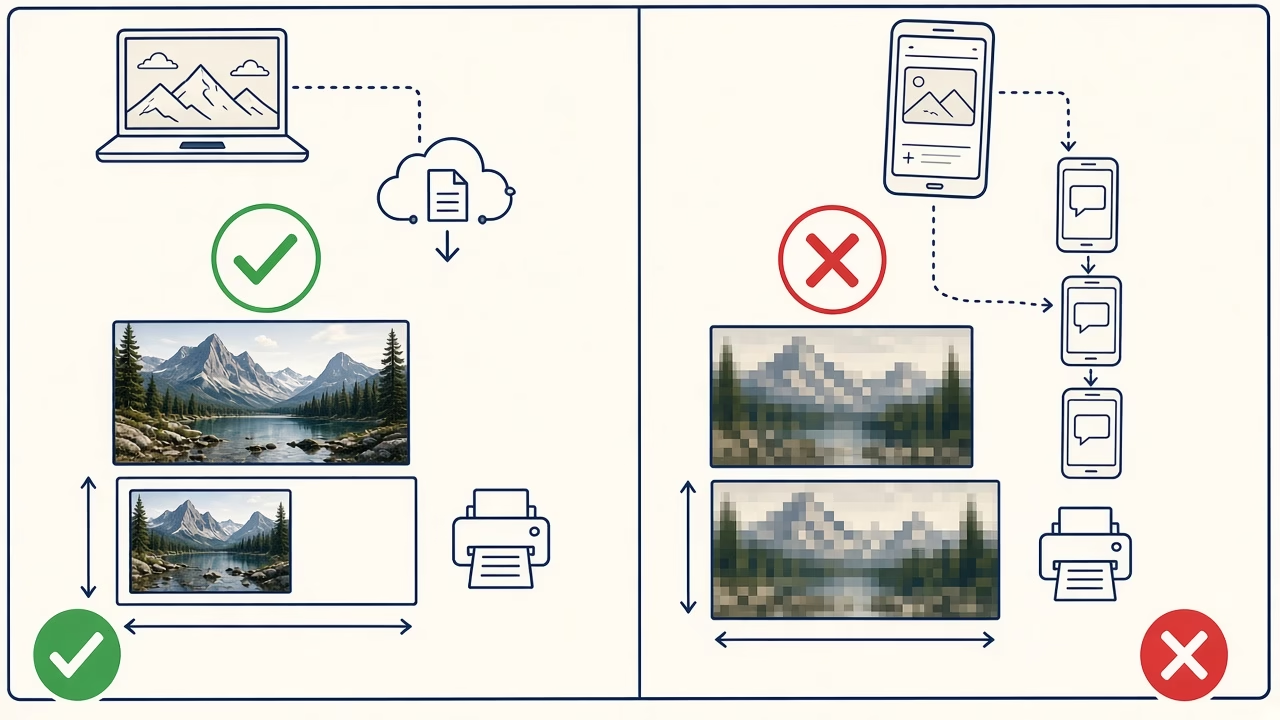
For printing, prefer a Document or File attachment when the current app sends it without photo optimisation. The recipient must download the actual attachment rather than capture its preview. Another route is to place the original in a reputable cloud service, create a link with controlled access and ask the recipient to download the file instead of judging only the browser preview.
Email can work too, although some clients ask whether to send a small, medium, large or actual-size version. Select actual or original when offered and verify after transfer. For a group of images, a cloud folder or ZIP archive can preserve filenames and avoid laborious individual sending; ZIP packaging does not need to recompress the image data itself.
Why screenshots and repeated forwarding are poor sources
A screenshot contains only what the display rendered at that moment. It may have fewer pixels than the source, altered colour handling, interface borders or overlays. Rather than photographing the photograph, locate the image in the original library or ask its creator for a proper file attachment.
Repeated forwarding may operate on an already reduced copy, depending on the app and route used. Matching filenames do not establish matching contents. For an important enlargement, return to the source device, memory card or original cloud library. Transfer that item once through a route that preserves it, then retain the received copy outside the chat.
Check the file before ordering
Open file information and note width and height in pixels. Compare these with the source where possible. Inspect at 100 percent for blocky compression, smeared detail, halos and excessive sharpening. Confirm that a cloud photograph has fully downloaded and is not a thumbnail or optimised local preview. For a large print, send the best original to the laboratory and ask for an assessment before final sizing.
File size in MB is only a clue. Metadata, content complexity and encoder settings all affect it. A detailed, efficiently encoded photograph can be smaller than a damaged file that was saved inefficiently. Pixel dimensions, visual inspection and provenance provide a more useful picture together.
Privacy during high-quality transfer
Send private pictures to the intended conversation or a restricted cloud link. Look for other people, documents in the background and embedded location. Add link expiry where available, remove access after receipt and avoid public sharing links for family material. Preserving quality does not require abandoning basic access control.
Frequently asked questions
Does WhatsApp always compress photographs?
Normal media sharing may process them. The available quality and file options depend on the app’s current release, device and transfer route.
Does HD send the original?
Do not assume so. HD generally retains more information, but check dimensions or use a documented file route for a critical photograph.
How can I send without photo compression?
Use Document or File, or share the original through controlled cloud storage, when current app documentation confirms that route avoids image optimisation.
What happens in Viber?
Photo transfers follow selected quality settings. In a supported desktop workflow, Viber’s official help describes an Original size selection.
Why not send a screenshot?
Its detail is limited to the display’s rendered output, not the underlying data in the original photograph intended for print.
How do I check pixel dimensions?
Open Info, Details or Properties on the device, find width × height, and compare those values with the known source file.
Does a high MB value guarantee quality?
No. Compression and metadata influence storage size; real pixels, visible artefacts and the file’s origin are more informative together.
Can repeated forwarding reduce quality?
Yes, when a step uses an already compressed derivative or performs another encoding pass. Return to the source for an important order.
Is a cloud link private?
Only when configured appropriately. Restrict recipients, set expiry if possible and revoke access once the laboratory or recipient has downloaded it.
What should I send to Online Print?
Upload the original or a verified full-dimension copy, not a thumbnail, screenshot or image repeatedly saved from messaging previews.
WhatsApp and Viber HD features, limits and processing behaviour evolve; consult the current official help for your app and device before transfer.
Follow us



Print online with our application
Print from the best available source
Find the original, inspect its pixels and upload it directly through Foto Panorama Online Print.



