
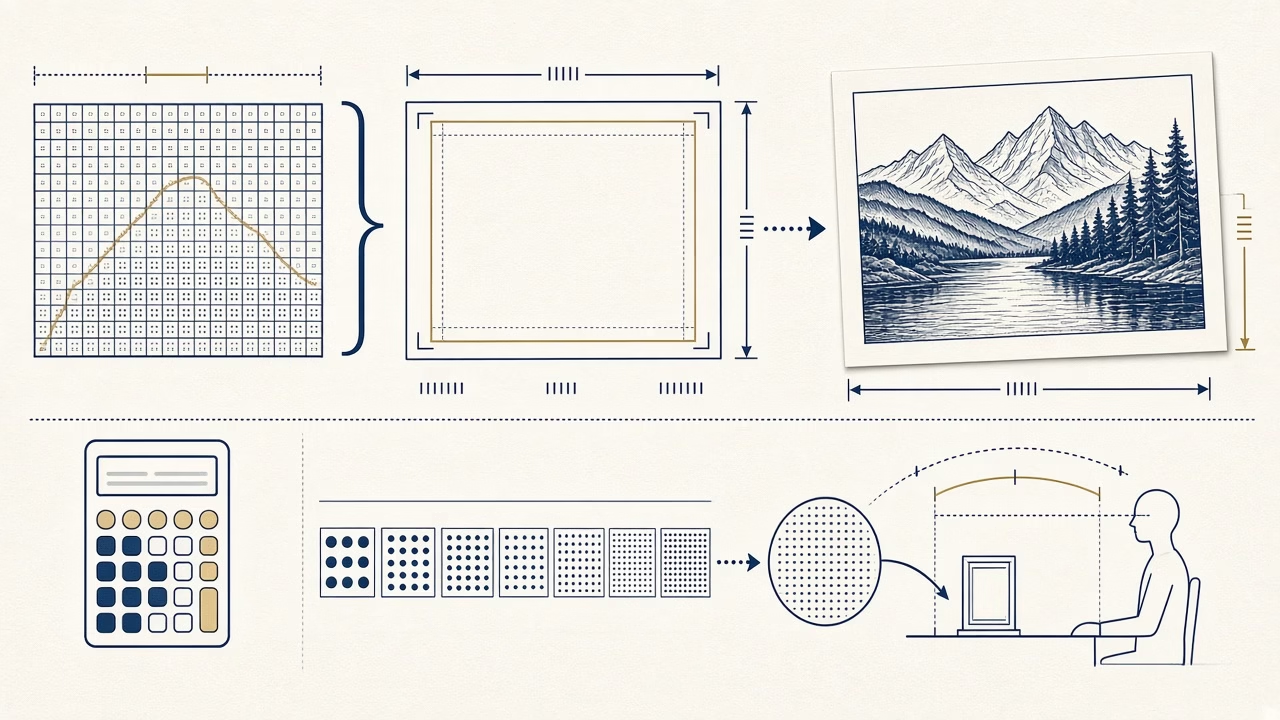
The phrase “300 DPI” is often treated as a quality certificate, yet it cannot by itself tell us whether a photograph will print well. A useful assessment needs three things: the image’s real pixel dimensions, the final physical print size and the likely viewing distance. Photo printing becomes much more predictable once image-pixel density is separated from the operation of the output device.
DPI and PPI describe different things
PPI means pixels per inch and describes how many image pixels are assigned to one inch of the final print. DPI means dots per inch and relates to physical ink dots or addressable marks made by a printer. One image pixel is commonly rendered through multiple device dots. A printer advertised at 1200 DPI therefore does not require a 1200 PPI photograph.
In everyday production, many labs say “a 300 DPI file” when they technically mean about 300 PPI at final size. Clear communication matters more than correcting vocabulary: ask what physical size will be printed, which area will be cropped and what input resolution that workflow prefers. Three hundred PPI is a common target for small photographs viewed closely, not a universal law of visible quality.
Calculate from pixels and inches
The formula is straightforward: inches multiplied by target PPI equals pixels. A 4×6-inch photograph at 300 PPI needs 1200×1800 pixels. A 5×7-inch print needs 1500×2100, while an A4 page at 8.27×11.69 inches needs approximately 2480×3508 pixels if the photograph covers it without borders. These are planning values rather than a guarantee that every source will look sharp.
Camera aspect ratio may not match the paper, so cropping removes available pixels along one dimension. Complete the intended crop first, then divide remaining pixels by output inches. A file 3000 pixels wide produces 300 PPI at 10 inches and 150 PPI at 20 inches, although not a single source pixel has changed. That simple calculation is more informative than a resolution label viewed in isolation.
A 72 or 300 metadata tag does not create detail
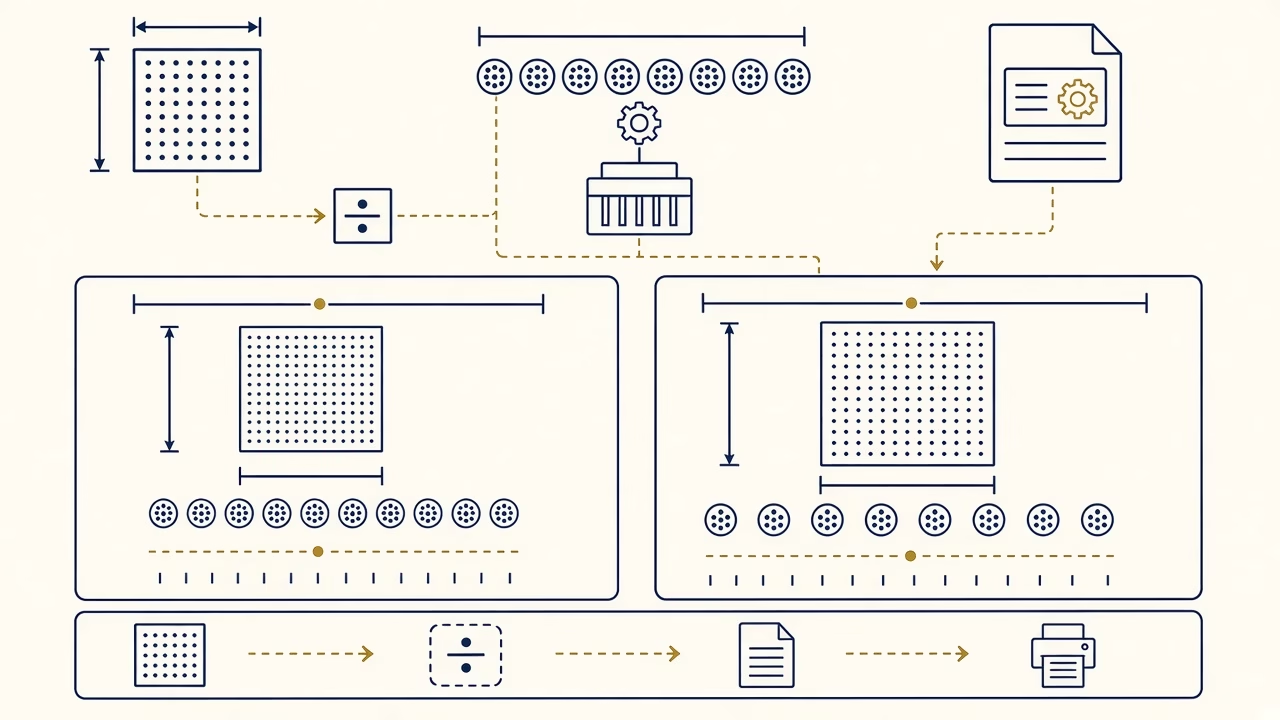
A JPEG can report 72, 96 or 300 PPI in metadata while containing exactly the same 4000×3000 pixels. Changing only the resolution field with resampling disabled alters the suggested physical size, not the picture data. Adobe Photoshop documentation explains this relationship and explicitly distinguishes image resolution from printer dots.
Begin inspection with Image Size or file properties and the pixel dimensions. A small image does not become detailed because its label says 300. Conversely, a large photograph tagged 72 may comfortably support a modest print. Ordering systems may interpret or ignore the label, so state the final size clearly and review the crop preview instead of assuming metadata controls the outcome.
Resampling, sharpening and hard limits
With resampling enabled, software adds or removes pixels. Downsampling can be useful for a controlled delivery file. Enlargement estimates intermediate values, and modern tools can create visually pleasant results, but they cannot reliably recover detail that was never recorded. An out-of-focus face, motion blur and severe compression remain real constraints no matter how sophisticated the interpolation model is.
Output sharpening should be judged at final size and on the intended medium. Excessive sharpening creates halos and emphasises noise. Examine a critical section at actual print scale rather than relying on extreme screen zoom. When the source is marginal, a small proof or a one-to-one crop from the large job offers better evidence than a theoretical status indicator.
Viewing distance, scans and plotters
An album photograph is inspected closely; a poster or wall enlargement is normally seen from several steps away. As viewing distance increases, lower PPI may appear entirely adequate. That does not justify arbitrary low resolution. It means target density should follow use, subject matter, material and physical size, with confirmation from the lab handling the job.
For scanning, PPI describes sampling across the physical original. A small print may be captured at a higher setting to support later enlargement, but scanning beyond the device’s optical ability mostly creates a larger file. On a plotter, advertised device DPI still differs from image PPI. Roll width, substrate, expected distance and RIP processing determine a sensible input for each project rather than one number for every banner or art print.
Frequently asked questions
Is 300 PPI mandatory for every print?
No. It is a common target for detailed photographs viewed closely. Larger work can succeed at a lower density depending on viewing distance, subject, medium and the production provider’s tested recommendations.
How do I find effective PPI?
After the final crop, divide each pixel dimension by the corresponding print dimension in inches. An image 3000 pixels wide printed ten inches wide has an effective resolution of 300 PPI.
Does changing 72 to 300 without resampling improve quality?
No. With resampling disabled, the pixel count is unchanged; only the associated physical size or metadata label changes. No additional scene detail is introduced into the image.
How many pixels are needed for a 4×6-inch print?
At 300 PPI, the planning value is 1200×1800 pixels before any aspect-ratio crop. A particular lab may have different delivery advice, so inspect its preview and ordering instructions.
What pixel size is appropriate for A4?
Full A4 coverage at 300 PPI is roughly 2480×3508 pixels. Borders, bleed, a smaller image area or a different target density alter that requirement.
Can AI enlargement restore missing resolution?
It can invent plausible texture and smoother edges, but it cannot verify detail that the camera never captured. Treat generated facial or historical features as interpretation, especially in documentary material.
Which scan resolution should I use for an old print?
It depends on original size, condition and planned use. Capture at true optical resolution, preserve a master, and avoid empty digital enlargement beyond what the scanner and source can genuinely resolve.
Should printer DPI match image PPI?
No. Device dots and image pixels are different measures. The printer driver or RIP translates image pixels into ink patterns according to that output process, paper and screening method.
Why does cropping affect print resolution?
A crop discards pixels. If the same paper size is retained, fewer remaining pixels cover the same number of inches, so effective PPI falls even though the selected output dimensions stay unchanged.
When is a test print worthwhile?
Request one when the source is marginal, enlargement substantial, medium unfamiliar or processing aggressive. A proof of a critical area reveals sharpness, noise and output sharpening at true scale.
Sources and further reading
- Adobe: How resizing affects image resolution and pixel dimensions
- Adobe: Set image size and resolution
Follow us



Print online with our application
Ready to print with informed settings?
Use Online Print to choose a format and photographic product. If a file is marginal, we can assess its crop and effective resolution for the selected material rather than judging it from a DPI tag alone.



