
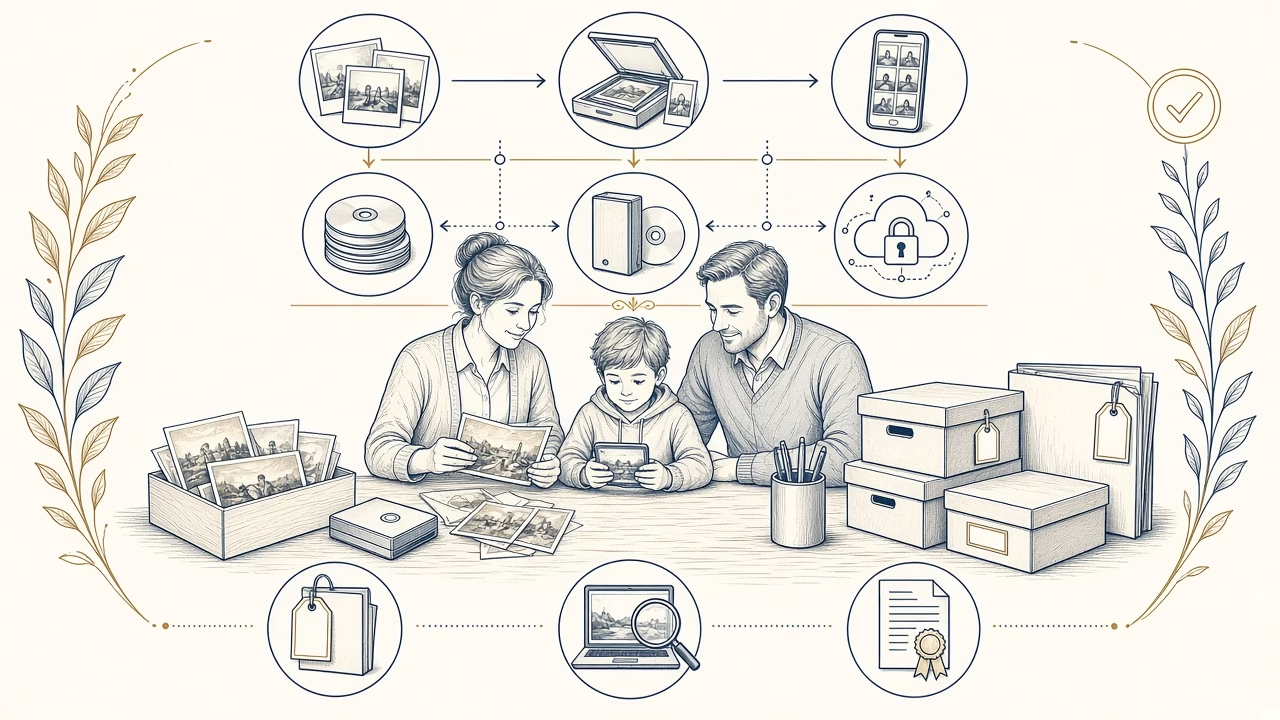
A family photo archive is not protected merely because it is “in the cloud” or stored on one large drive. Safety means that hardware failure, theft, fire, accidental deletion or account loss cannot remove every version at once. The 3-2-1 method is a straightforward starting point: three copies of important files, on two different media types, with one copy away from the primary location. It is a recognised recommendation, not a legal obligation or an absolute guarantee against every event.
What counts as three, two and one
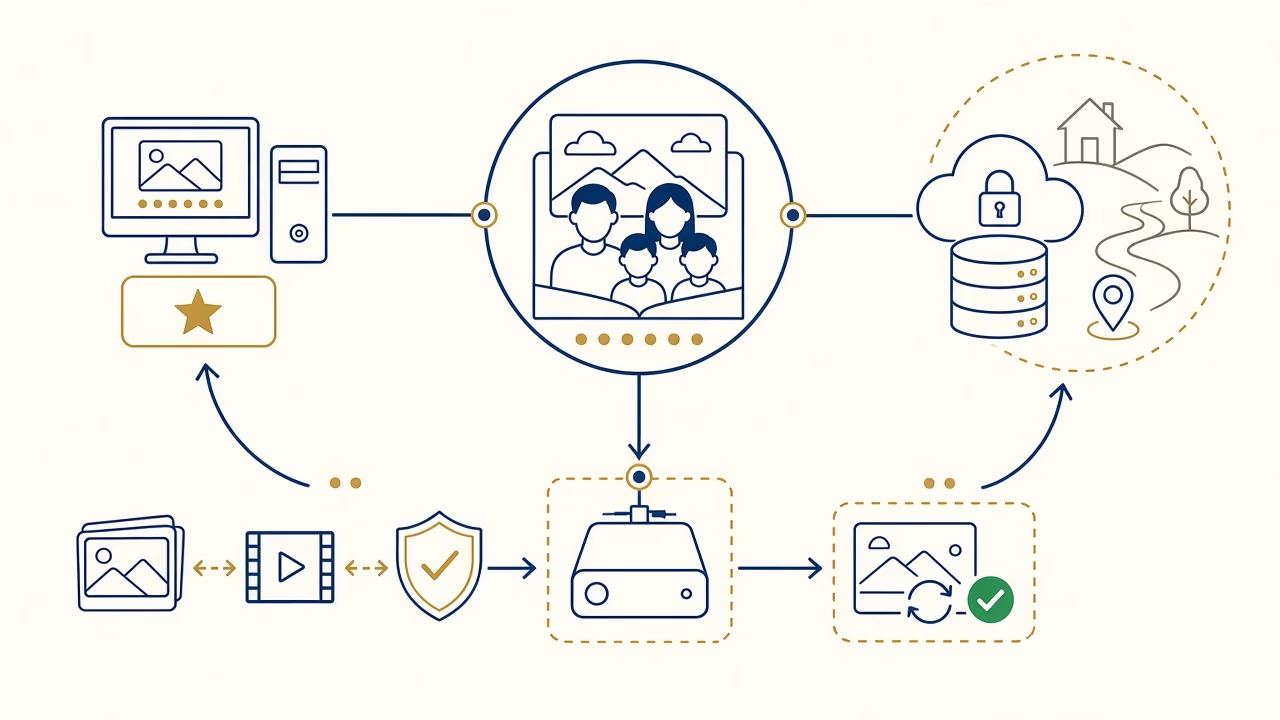
The first copy is the organised working library, not a scattering of pictures held only on phones. A second may be an automated backup to an external drive or home storage device. The third sits off-site, perhaps with a reputable cloud provider or on an encrypted drive in another secure location. CISA states this three-copy, two-media, one-off-site model directly in its public backup guidance.
Two folders on the same disk are not two independent media. Synchronisation is not always backup either: deletion, corruption or ransomware can propagate across synchronised locations. Look for version history, separate credentials where practical, and at least one copy that is not continuously writable from the main computer. Choose tools according to collection size, family skills, privacy and the speed with which a loss must be recovered.
Gather, select and name the collection
Start with an inventory of phones, cameras, old computers, memory cards, CDs, USB devices and online accounts. Copy before deleting anything from a source and record where each group came from. Then remove obvious duplicates cautiously, retaining the best or earliest-generation version. A simple year-and-event folder tree is often more durable than an elaborate application that only one family member understands.
Names such as 2026-09-26_pelion-family_001.jpg sort naturally and remain understandable outside specialist software. Renaming every legacy item is not mandatory when original names support a stable workflow, but use a consistent method and avoid folders called “misc final.” Maintain a basic catalogue of dates, people, places, rights and notes. Embedded metadata is valuable, yet it should not be the only place where the archive’s context is recorded.
Checksums, automation and restore testing
A checksum such as SHA-256 is a digital fingerprint. If even one bit changes, the value will normally change and indicate that the file is no longer identical. Library of Congress and NDSA materials describe these fixity checks for monitoring integrity. A checksum does not repair damage or prove that the picture was valid when first recorded; it shows whether a known file has changed.
Automate frequent backups, but read failure reports. Every few months, choose representative folders, restore them to a temporary location, open images and compare file count, size and checksums. Restore testing matters because a green application icon does not prove that credentials still work, historical versions are retained or a complete collection can be downloaded in the required time. Document the date and any remediation.
Cloud privacy and account succession
Cloud storage is a useful off-site component, not the family’s only memory. Examine export procedures, version retention, encryption, multi-factor authentication, pricing as volume grows and what happens if an account closes. Upload sensitive photographs only after a deliberate privacy decision. Encrypting before upload can reduce provider exposure, but it creates a responsibility to preserve keys and usable recovery instructions.
Decide who receives access after death or incapacity. Write down where copies exist, which password manager is used and which material should remain private. Do not place master passwords in an unprotected document inside the same account. Review each provider’s current legacy-contact or inheritance features because policies and verification processes change. Succession should include context and permissions, not merely a pile of unexplained files.
Media migration and physical originals
No storage medium lasts forever. Monitor drive health, ports, cables and software compatibility, then copy data before a technology becomes difficult to read. The Library of Congress recommends periodic migration to current storage and broadly supported formats. This is an ongoing care programme rather than a purchase that permanently completes preservation. Record each migration date, source, destination and verification result.
Digital copies do not replace care for original prints and negatives. Keep them in a stable, cool and reasonably dry space, away from attics, basements, water and direct light. Use suitable enclosures and boxes that pass the Photographic Activity Test when long-term value warrants it. A selected, well-made print provides access without an account or device, but remains a complement to backups rather than another digital copy.
Frequently asked questions
Is 3-2-1 a mandatory standard?
No. It is a widely used risk-reduction strategy recommended by CISA. A household may need extra offline copies, encryption or additional locations depending on privacy, disaster exposure and the value of the collection.
Do a phone and cloud library count as two copies?
Possibly, but synchronisation can propagate deletion or corruption. Confirm independent version history, a workable export process and another backup that does not depend on the same account or provider.
Are two external drives in one house sufficient?
Not for full 3-2-1 protection. Theft, fire, flooding or an electrical event could affect both. Keep at least one verified copy at a genuinely different, secure location.
How often should family photos be backed up?
Match frequency to how much new work you can tolerate losing. An active library may need daily or weekly automation, accompanied by alert review and scheduled restoration tests rather than silent unattended jobs.
What does a checksum provide?
It helps determine whether a file’s bits changed during copying or over time. It does not judge visual quality, replace another backup or automatically repair the damaged version.
Should every photograph be converted to TIFF?
No. Preserve originals and broadly supported files without repeated lossy saving. TIFF can be a useful scan master, but it consumes more storage and cannot substitute for organisation, redundancy and verification.
When should drives or media be replaced?
There is no single safe lifetime for every device. Monitor health and compatibility, retain independent copies, and migrate before reliable readers, ports or software disappear rather than waiting for a failure.
Where should passwords and encryption keys live?
Use a reputable password manager with a protected recovery and succession plan. If the only key is lost, strong encryption can make an otherwise intact archive permanently inaccessible.
How should old prints be protected?
Handle them cleanly, use appropriate enclosures and boxes, and choose a stable cool location away from water and light. Fragile, flaking or unusual historic processes may require advice from a conservator.
How can we know that the backup works?
Perform a real restore to a separate destination, open representative files, compare counts and checksums, and record the outcome. A completed backup notification alone is not adequate evidence of recoverability.
Sources and further reading
- CISA: Back Up Business Data and the 3-2-1 rule
- Library of Congress: Preserve Your Papers and Photographs
- Library of Congress: Care, Handling and Storage of Photographs
Follow us



Digitise and protect your archive
Want to begin with the physical originals?
We provide organised scanning of family photographs and can discuss file delivery for your own backup plan. Long-term management and safe retention of the originals remain important family responsibilities.



