
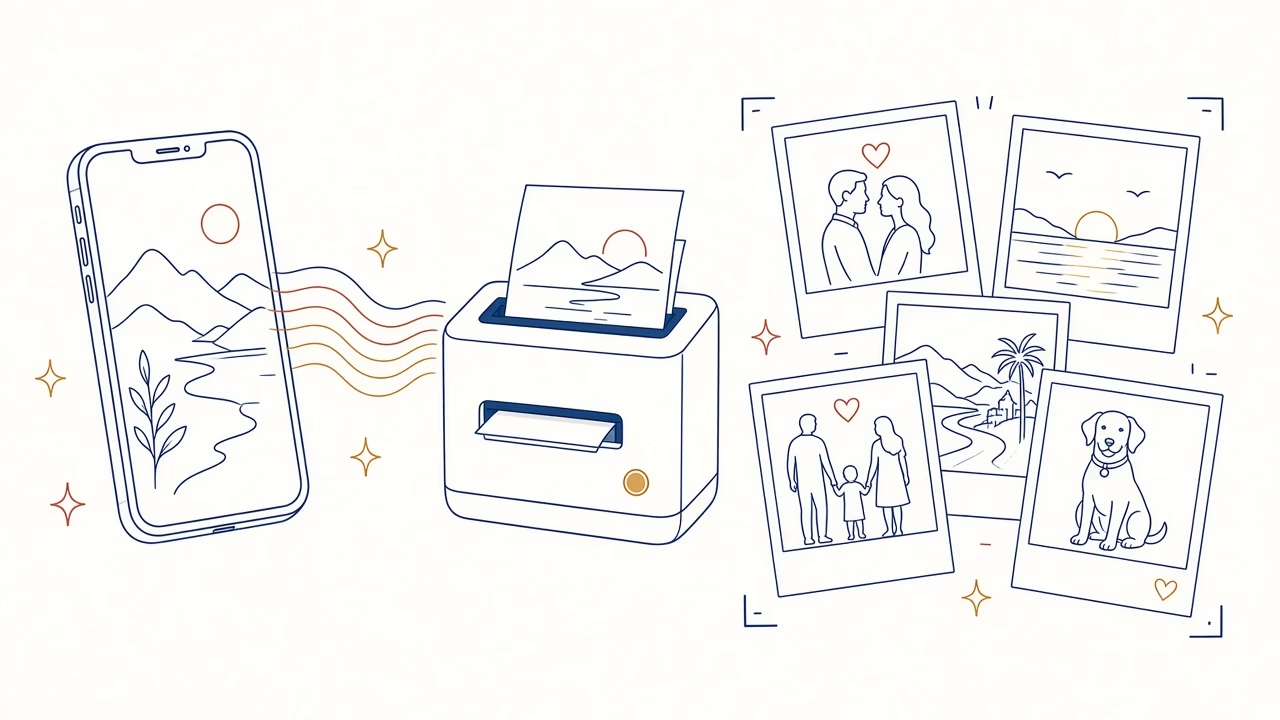
Our best photos now live on our phones — but memories take on a different value when we can hold them in our hands. With Polaroid-style photo printing from your phone, your favourite images are transformed into small, elegant prints with a square frame and the distinctive white border.
From your phone to a real photograph
At Panorama Photo Studio in Volos, you can transfer photos from an iPhone, Android device, tablet or computer and have them printed with the look of an instant photo. It is a popular choice for anyone who wants the nostalgic appearance of instant photography, combined with the convenience, choice and quality of modern digital printing.
You choose the shots: family moments, trips, friends, pets, weddings, baptisms, birthdays or images from social media. We take care of the correct square crop, the white border and high-quality reproduction on photographic paper.
What is Polaroid-style printing?
A Polaroid-style photograph is instantly recognisable: an almost square image, a white border around it and a wider white margin at the bottom. The bottom border can be left blank or used for a date, a short dedication, a name, a location or a brief phrase.
With professional printing from a digital file, we recreate this classic look on photographic paper. You do not need an instant camera or special film. You can choose the best shot from your phone, adjust the crop and order as many copies as you wish.
What is the classic Polaroid size?
A classic Polaroid 600 / i-Type photograph has overall external dimensions of approximately 8.8 × 10.7 cm, while the image area is approximately 7.9 × 7.9 cm. These proportions create the recognisable square frame with the wider white section at the bottom.
For Polaroid-style prints, we can follow these classic proportions or adapt them to a practical photographic paper size, depending on the intended use and number of photos. The final dimensions and trimming are confirmed when you place your order, ensuring that the result is suitable for an album, frame, decoration or gift.
Note: this is a digital Polaroid-style/format print, not genuine Polaroid instant film.
Why print the photos from your phone?
Our phones fill up with hundreds of images every day. Many of them become lost in folders, are copied to a new device or remain for years in a cloud account that we rarely open. Printing photos from your phone singles out the moments that matter and turns them into objects with a personal touch.
The small instant format is ideal because it does not require a large album or an expensive frame. It can be placed in a wallet, memory box, scrapbook, photo board or on the fridge. A series of small Polaroid-style photos can tell the story of an entire trip, a year in a relationship or a family’s most important moments.
The perfect choice for every occasion
- Couple photos and small anniversary keepsakes.
- Weddings and baptisms — for guest books, thank-you cards or table decorations.
- Birthdays and parties — happy, informal shots of friends.
- Family photos and milestones as children grow.
- Travel photos from beaches, cities and favourite destinations.
- Pet photos for your desk, fridge or a personal gift.
- Instagram and social media photos that you would like to bring into the physical world.
- Scrapbooking, bullet journals and photo walls with a consistent look.
How to send photos from an iPhone or Android device
The process is simple. You can upload your images through your browser using our online photo printing service, without installing an app. Alternatively, you can visit one of our stores and transfer the photos using the connection method available on your device.
When placing your order, specify that you would like a Polaroid-style / instant photo format. If the photos require special trimming or different final dimensions, we will confirm this with you before production. This way, you know exactly what the finished result will look like.
1. Choose the right photos
Choose the original images from your phone’s photo library, rather than screenshots or photos that have been forwarded multiple times through messaging apps. The original file contains more detail and allows for a better crop.
2. Upload the files at full resolution
When there is an “original size” or “original quality” option, select it. Compression may not be visible on a phone screen, but it becomes noticeable when the image is printed on paper.
3. Confirm the square crop
Most phone photos are portrait or landscape, while the image area of a Polaroid-style print is square. We check how the shot will be cropped so that faces, hands or important details near the edges are not lost.
4. Choose the quantity and collection method
You can print just one favourite photo or an entire series. Orders can be collected from the Panorama stores in Volos, while delivery can be arranged for orders shipped outside the city.
The right crop makes all the difference
The Polaroid look is based on a square frame. If a face is very close to the edge or the image includes a large group, careful adjustment is required. For this reason, it is helpful to leave a little space around the main subject when taking photos that you intend to print.
When a file is not ideally suited to a square format, we can either crop it carefully or make the image slightly smaller to retain more of the original frame. The aim is for the print to look natural rather than cramped.
Quality photographic paper and accurate colours
Polaroid-style printing is not simply a white border around an image. Quality depends on the photographic paper, accurate skin tones, brightness, sharpness and a professional printing system. At the Panorama Photo Studio lab, we use modern Fujifilm equipment and check the finished result before delivery.
Phone screens are usually very bright and automatically enhance colours. On paper, an image must retain detail in both bright and dark areas. Proper preparation prevents faces from looking excessively red, skies from losing detail or shadows from becoming blocked up.
Polaroid photos for weddings, baptisms and events
Small instant-style prints are especially popular at weddings and baptisms. They can be placed in the guest book, included with favours, used as place cards or arranged as a memory wall with string and small wooden pegs.
You can also gather photos after the event and create a memory box for the couple or the parents. The wider white border at the bottom provides space for a date, a message or names, making every print more personal.
Ideas for an original gift
- A box of 12 photos, one for each month of a relationship or a child’s first year.
- A travel set with photos, dates and short captions.
- A photo wall with string, lights and pegs.
- A small handmade album or scrapbook with tickets and mementos.
- A birthday gift featuring a group of friends’ best moments together.
- A save-the-date or thank-you card with a couple’s photo in an instant-style format.
Frequently asked questions about printing Polaroid photos from your phone
Do I need a Polaroid camera?
No. We use the digital photos already stored on your iPhone, Android device or computer and format them in the classic instant-photo style.
Is this genuine instant film?
No. It is a Polaroid-style photographic print on professional photographic paper. It offers the distinctive look while allowing you to choose the file and order multiple copies.
Can I add a caption to the white border?
Yes. The white margin at the bottom can be left blank for a handwritten dedication or designed with a date and short text, provided this is agreed before printing.
Can I print photos from Instagram?
Yes, but it is preferable to send the original file from your phone’s photo library. A photo downloaded again from Instagram may be compressed and have a lower resolution.
Can I order many different photos?
Of course. You can create sets with different images or request multiple copies of the same photo. This is ideal for gifts, parties, groups of school friends and events.
Polaroid-style photo printing in Volos
If you are looking for Polaroid printing in Volos, photo printing from your phone, square photos with a white border, mini photo prints or vintage photo prints, contact Panorama Photo Studio. We will help you choose the right files, the appropriate size and the best crop.
Digital images are quick and convenient, but a real print is what lasts. Turn your favourite phone photos into little memories today — memories you can touch, give as gifts and keep for years.
Related: online photo printing · printing from your phone · Fujifilm print quality



