
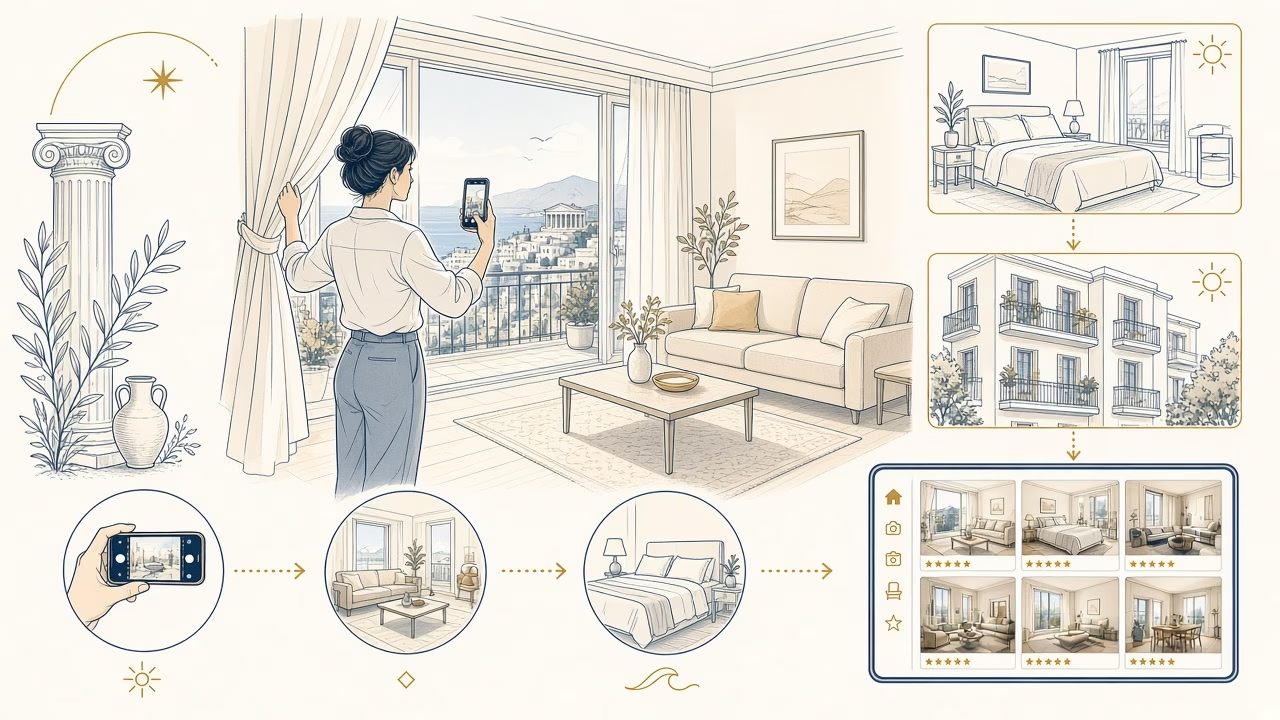
You can produce trustworthy Airbnb photos with a modern phone if you work methodically. The aim is not to make the property appear larger or brighter, but to explain its layout, condition, light, access, and amenities honestly.
Separate policy requirements from recommendations
Mandatory policy: the photographs and description must accurately represent the space guests receive. Airbnb’s ground rules for home hosts say misleading content violates policy. Digitally concealing damage, adding an amenity that does not exist, or otherwise misrepresenting the listing may result in content removal or enforcement. The Content Policy also prohibits violations of privacy or intellectual-property rights and content created solely to advertise an unrelated business.
Recommendations: use landscape orientation, soft natural light, two or three useful room views, and a mix of wide, mid-range, and detail frames. Two or three is advice, not a compulsory quota. Do not apply vertical-photo rules for Airbnb Experiences to home listings. Rules can change, so review the current sources near the end.
Prepare every room before touching the camera
Clean first and style second. A camera records stains, creased fabric, crooked objects, and small distractions that your eyes may filter out. Wipe the phone lens with a clean microfiber cloth, then work through this room-by-room checklist:
- Entrance and circulation: remove shoes, bags, and keys; show stairs, the lift, or a step-free route.
- Living room: straighten cushions and curtains; hide loose remotes, chargers, and cables.
- Kitchen: clean counters and the sink, remove detergents, and show only appliances that guests receive.
- Bedrooms: smooth bedding, align tables, and show only guest-accessible storage.
- Bathroom: close the toilet lid, remove personal products, and polish mirrors.
- Outdoors: move bins, tools, and cars where practical and lawful.
- Neighborhood: show useful access without identifiable people, plates, or private addresses.
Walk the guest route and correct anything that interrupts its visual flow. Check mirrors, televisions, windows, and glossy surfaces for your reflection, tripod, or private material.
Phone lenses and straight architecture
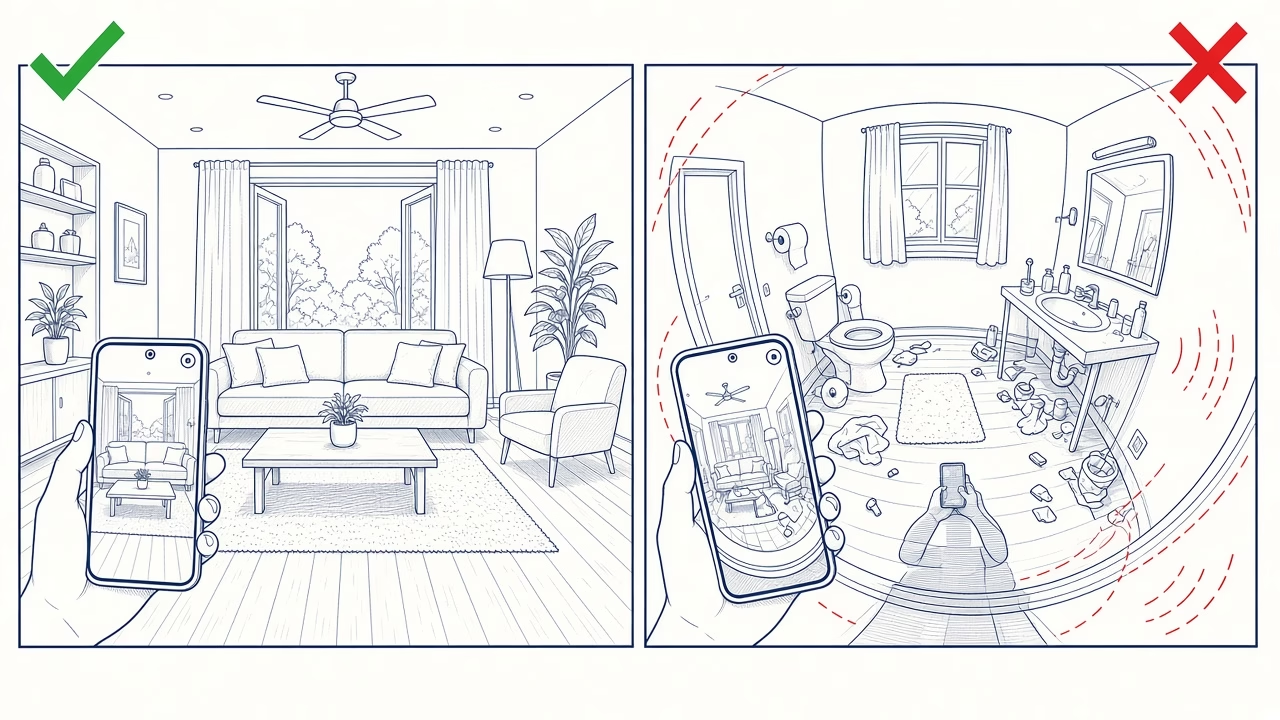
Prefer the main 1× lens. It normally has the strongest sensor, cleanest file, and most natural proportions. Avoid 0.5× and fisheye-looking results when they stretch corners, beds, or furniture. A 2× lens can isolate a coffee machine, grab rail, or design detail, but only in sufficient light. Never use digital zoom: move closer or make a restrained crop later.
Turn on grid and level. Hold the phone horizontally and parallel to the opposite wall, without tilting, so doors and cabinets remain vertical. Start at 1.2–1.4 metres: slightly lower in bedrooms and higher in kitchens. Choose a position that explains doors, furniture, and circulation, not merely the farthest corner.
A small tripod and two-second timer reduce shake and reflections. For each main room, capture two or three distinct views: overall flow, the reverse direction, and the key amenity. Skip near-duplicates.
Natural light, HDR, and exposure control
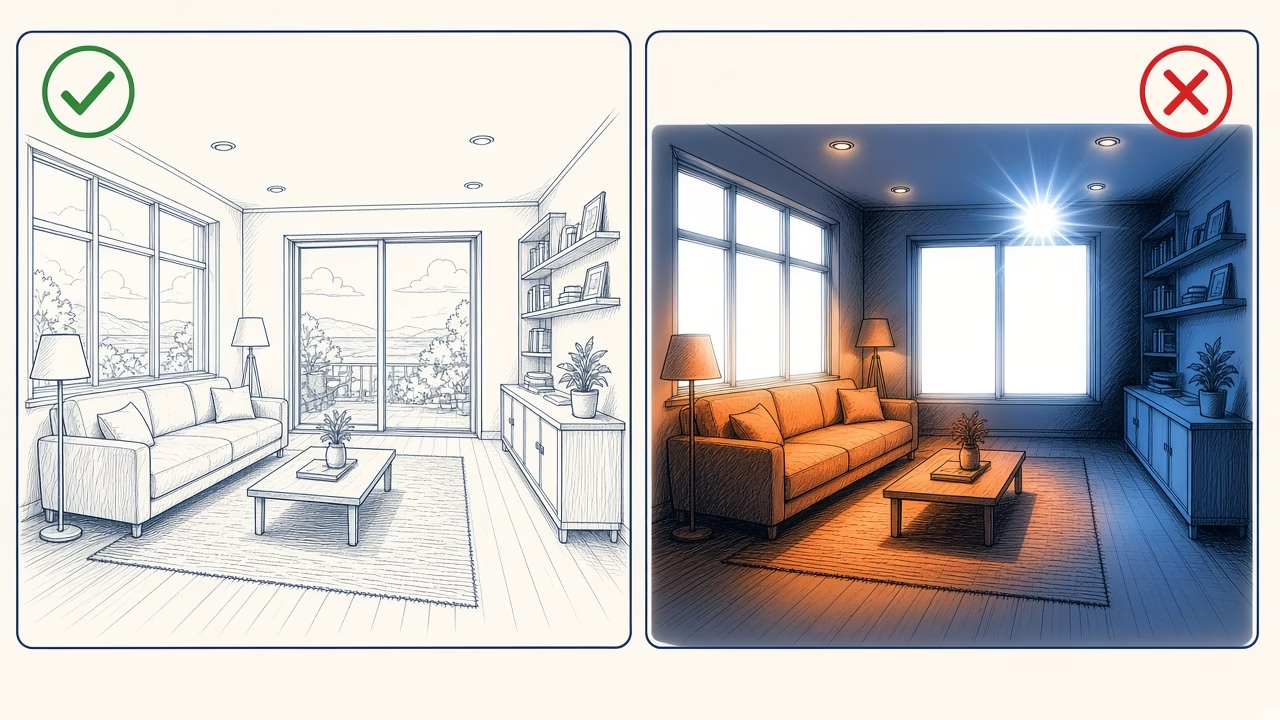
Shoot each interior when it receives most daylight. Open shutters, blinds, and curtains; keep flash off. If necessary, turn on permanent fixtures with similar color temperatures. Direct flash causes hard shadows and glare, while bright cloud or soft sun gives more even detail than harsh midday light.
Tap a mid-bright area and lower exposure slightly if windows turn white. HDR can retain indoor and outdoor detail, but excess creates gray shadows and halos. Protect highlights without making the room unnaturally dark, and lock AE/AF when available.
White balance should keep white walls neutral. Avoid mixing warm bulbs with cool daylight, or correct the whole room sequence consistently. Day images are essential; add night frames only for a real experience such as a lit terrace, pool, or city view.
Exterior timing, sun direction, and weather
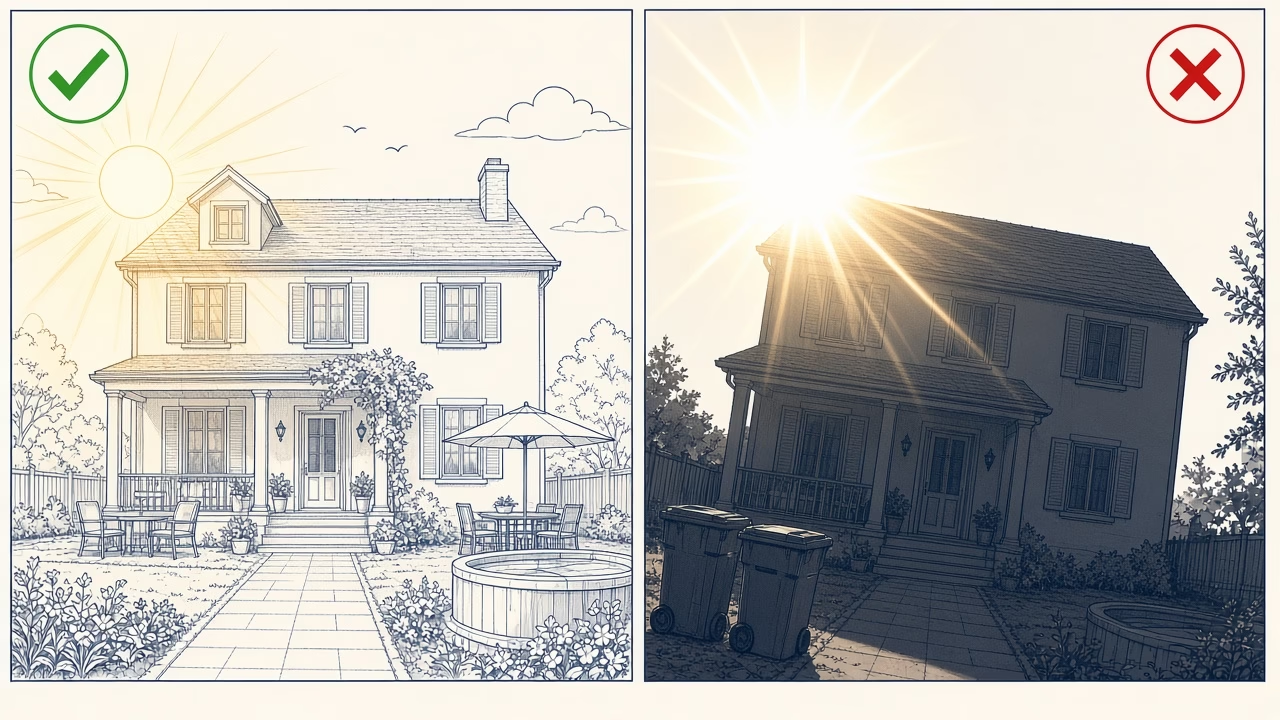
For a façade, keep the sun behind you or 30–60 degrees to one side, adding shape without direct flare. Avoid shooting into it unless intentional. Golden hour—the first hour after sunrise or last before sunset—gives soft warmth, while bright overcast light may better suit a shaded or north-facing property.
Show the entrance, access, real parking, pool restrictions, and view without telephoto compression that pulls scenery closer. Do not hide a permanent road or neighboring building. Check water, glass, cars, and metal for reflections. Caption neighborhood images accurately; never imply that unrelated scenery belongs to the property.
Edit honestly and preserve file quality
Straightening, cropping, and restrained adjustments to brightness, contrast, highlights, and white balance are reasonable. Do not erase cracks, permanent cables, neighboring buildings, or damage. Do not add a fire, view, blue sky, pool, furnishing, or amenity that was absent. Avoid ultra-wide distortion and heavy processing that makes a room look larger or brighter than reality; Airbnb’s accuracy materials specifically caution against those practices.
Keep originals and export high-quality JPEGs in sRGB without repeated compression. Help pages require at least 1024×683 pixels; the Resource Center recommends 1200×800 or more and up to about 10 MB. Retain the phone’s large file, avoid apps that downsize it, and upload home-listing images in landscape orientation.
Sequence, first five images, and captions
Organize filenames before uploading, for example 01-cover-living-room.jpg, 02-balcony-view.jpg, and 03-bedroom-1.jpg. Names simplify your workflow; they are not a ranking trick. Build the Photo Tour and ensure every room or space has at least one photograph. Add room details, sleeping arrangements, amenities, and accessibility information. The first five images are especially prominent, so lead with a strong cover and make every following frame contribute different information.
A useful first five covers the main room, exterior or view, principal bedroom, kitchen, and distinctive amenity. Continue in walking order. Captions add facts such as floor, bed size, or pool hours. For accessibility, show the complete step-free route, doorway width, thresholds, grab rails, and turning space, with measurements where possible.
Concise shot list
- Façade, entrance, access route, and the real parking arrangement.
- Two or three informative views of the living room and kitchen.
- Every bedroom, bed, and storage area available to guests.
- Every bathroom, shower or bath, and relevant grab rails.
- Balcony, garden, pool, barbecue, and view at the appropriate time.
- One establishing frame, mid-range frames, and selected amenity details.
- Evidence for accessibility features and meaningful limitations.
- Neighborhood context only when it helps orientation or transport.
DIY or professional photography?
DIY suits a small property with straightforward daylight and time for testing. A professional helps with high-contrast windows, tight rooms, extensive grounds, precise verticals, or assets for several channels. Professional work does not fix clutter or inaccuracy; it controls light, color, geometry, and production.
FotoPanorama provides professional commercial property photography in Volos, Pelion, and Magnesia, using realistic rendering, HDR where justified, and platform-ready files. Ask for an assessment only when professional production genuinely suits the property’s scale and commercial goals.
12 frequently asked questions
Is a phone good enough for Airbnb photography?
Yes, when its main camera is clean, stable, and used in suitable light. Preparation, camera position, and straight geometry usually matter more than an impulsive equipment upgrade.
Should I use the 0.5× lens?
Usually not. If it stretches edges or makes the room appear artificially large, it creates the wrong expectation. Prefer 1× and find a more informative camera position.
How many photos should each room have?
Airbnb says every room or space needs at least one image to appear in the Photo Tour. Two or three distinct views are useful advice, not a mandatory number.
Should every light be switched on?
Use daylight first. If fixtures are needed, switch on permanent lamps with reasonably consistent color and turn flash off.
How do I keep detail in windows?
Lower exposure slightly, use HDR carefully, and shoot when contrast is gentler. Do not brighten the interior until it looks unlike the space in person.
May I remove objects with AI?
Physically tidying before the shoot is safer. Digitally hiding damage or adding a missing feature can violate Airbnb’s listing-accuracy rules.
What makes a strong cover photo?
Choose the cleanest truthful frame of the property’s primary advantage. Check its crop on a small screen and keep the main subject away from vulnerable edges.
Do I need nighttime photographs?
Only as supplements when lighting, a terrace, or a view creates a real nighttime experience. Guests still need clear daytime coverage of the essential spaces.
Can I include nearby attractions?
Yes, when they are relevant, accurately captioned, and not presented as part of the property. Respect privacy, image rights, and honest distance information.
What resolution should I upload?
Do not fall below 1024×683 pixels. Prefer at least 1200×800 or a larger clean original, without aggressive compression.
How should I document accessibility?
Show the continuous accessible route and clear evidence of steps, widths, thresholds, grab rails, and maneuvering room. Add exact details to the room information.
When is a professional worthwhile?
Consider one when light is difficult, the layout is complex, or images must work commercially across several channels. Request defined deliverables and realistic editing.
Official Airbnb sources
- Help article 746: home-listing photographs — landscape format, daylight, decluttering, minimum resolution, interiors, exteriors, neighborhood, and unique amenities.
- Help article 477: Photo Tour — every space, first five images, room details, accessibility, and captions.
- Resource Center article 687 — soft light, golden hour, flash off, level framing, mixed shot sizes, and captions.
- Ground rules for home hosts, article 2895 — mandatory accuracy and unacceptable digital alteration.
- Resource Center article 571 and article 568 — realistic expectations, no ultra-wide or over-editing, and two or three room views as a recommendation.
- Content Policy, article 546 — privacy, intellectual property, and unrelated advertising.
Features and policies can change. Review these live Airbnb pages before your shoot and again before publication.
Need professional images without exaggeration?
Explore Airbnb and hospitality photography, or contact FotoPanorama at info@fotopanorama.gr or +30 24210 29717 for a candid assessment of your property.



