
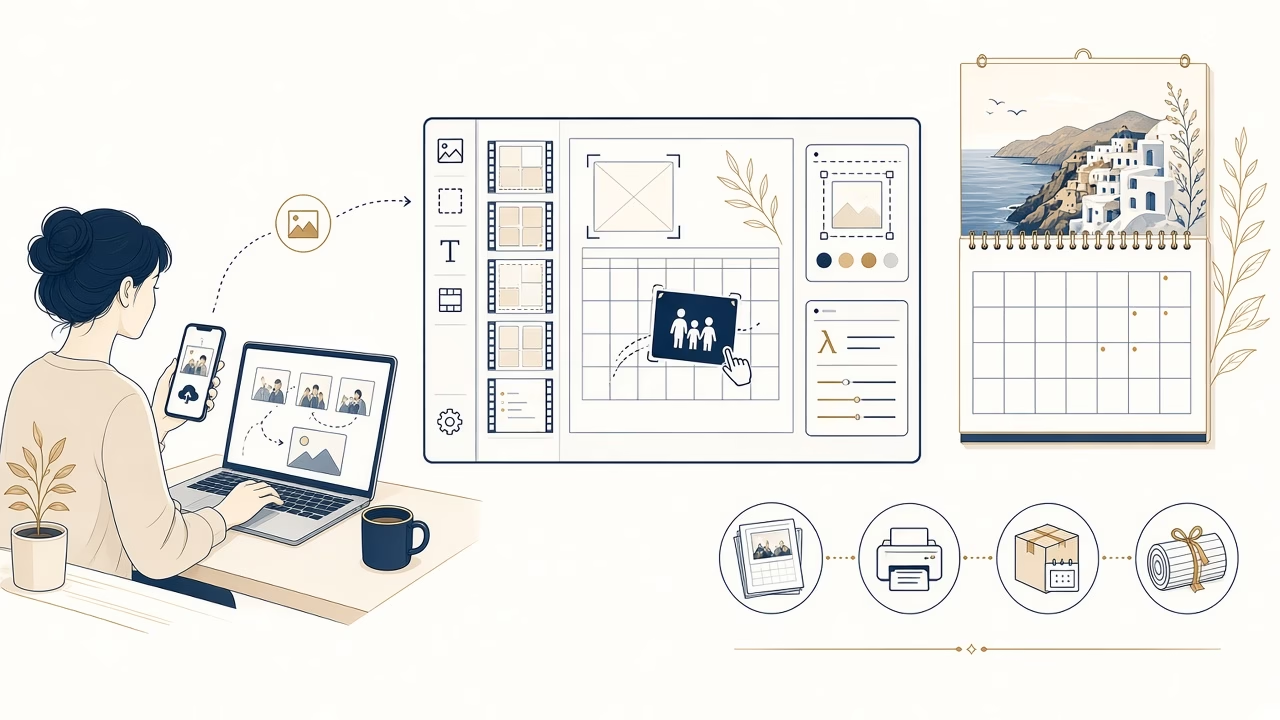
FotoPanorama has launched a new online application for creating a personalised 2027 photo calendar. This is the first MVP release: it is designed to make the essential route from template selection to a printable file clear, without presenting itself as a complete ecommerce store. It runs in a browser on mobile phones, tablets and desktop computers, with nothing to install.
You can begin now in the 2027 calendar designer. Choose a 12-page calendar or a 13-page version with a cover followed by all twelve months. Five data-driven templates provide distinct arrangements: one photo, two photos, three photos, a four-photo collage, and a full-page picture paired with a compact calendar.
Photos and creative control
The upload tool accepts JPG, PNG and WebP images. Drag photographs from your available files and drop them into the defined slots on each page. Within a slot, zoom, pan, crop and rotate the image until a face or important detail sits where you want it. Templates preserve the page structure while leaving the meaningful framing decisions to you.
Custom Greek text can be entered in the fields made editable by the selected layout. The monthly grid is not a static illustration: it is generated dynamically for 2027 with the correct Greek month and day names, real dates, and Monday-first weeks. This avoids the date errors that can occur when an old design file is manually adapted for a new year.
Checking every page before export
Page thumbnails make it easy to move between months and spot unfinished work. The designer warns you when a required photo slot is empty. It also assesses the original image resolution against its printed size and crop, then flags low effective DPI. This check cannot invent detail in a small file; it gives you an opportunity to choose a better original or reduce an aggressive crop before production.
If you cannot finish in one session, save the project and resume later with its secure project code or link. Keep that access information private because it opens the corresponding design. A final preview lets you review all pages before submission. The print-ready export is rendered on the server at production resolution rather than being taken from a browser screenshot.
Private files and the studio workflow
Original photographs are stored privately, outside the public WordPress media library. The editor uses optimised proxy images for responsive interaction, while the final output is built from the originals. The production package contains completed calendar pages and control information for dimensions, resolution and quality; it does not expose the uploaded originals as separate files.
In the administration area, the FotoPanorama team can review projects and export status, manage templates and special dates, adjust quality settings, and prepare the print-ready result for the studio workflow. A WooCommerce connection is planned as an optional future extension. A payment or shopping-cart flow is not currently live in this application because WooCommerce is not installed.
Frequently asked questions
How many pages can my calendar have?
Choose twelve monthly pages, or thirteen pages when you want a separate cover before the January-to-December sequence.
How many templates are included?
The MVP includes five data-driven layouts, ranging from one photo per page to four-slot collage and full-page photo designs.
Which image formats can I upload?
The designer accepts JPG, PNG and WebP files uploaded from a compatible device through a modern browser.
Can I adjust the framing of a photograph?
Yes. After dropping an image into a slot, use zoom, pan, crop and rotation controls to refine its composition.
Are the 2027 dates accurate?
The Greek calendar is generated dynamically for 2027, matching each date to its real weekday and month.
What do the quality warnings mean?
They identify required empty slots or insufficient effective DPI after cropping, allowing you to correct a page before export.
Can I continue on another day?
Yes. Save your work and return with the secure project code or resume link, which should not be shared publicly.
Are my photographs publicly visible?
No. Originals remain in private storage, while the editor loads protected, optimised proxies for practical editing speed.
Can I buy and pay through the designer?
Not at present. WooCommerce is not installed, and its possible future connection is an optional extension rather than a live feature.
What happens after the final preview?
The application creates a print-ready export, and the administration team can check the project within the studio production workflow.
Create your 2027 calendar
Open the personalised calendar designer and start with the layout that suits your photographs. For questions about the MVP, image files or the print workflow, visit the contact page.



