
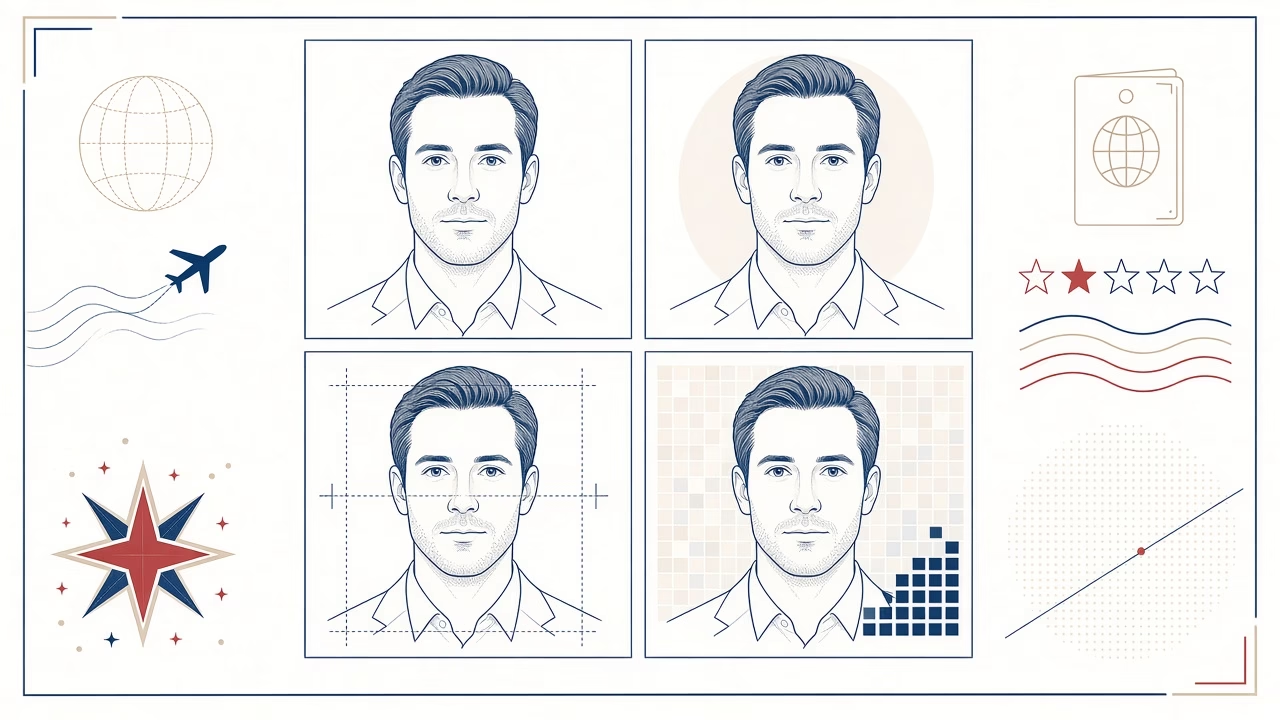
A US visa photograph follows precise technical and visual requirements. A clear passport-style picture is not automatically suitable: the American standard uses a square format, a defined head size and specific rules for background, expression and editing. Careful preparation reduces avoidable delays, but final acceptance always rests with the relevant US embassy or consulate.
Core official requirements
A printed photograph must be in colour and square, measuring 2 × 2 inches, or 51 × 51 mm. The applicant faces the camera directly with a neutral expression and both eyes open. The background must be plain white or off-white, without objects, texture or shadows. The image should be a true representation of the applicant’s current appearance.
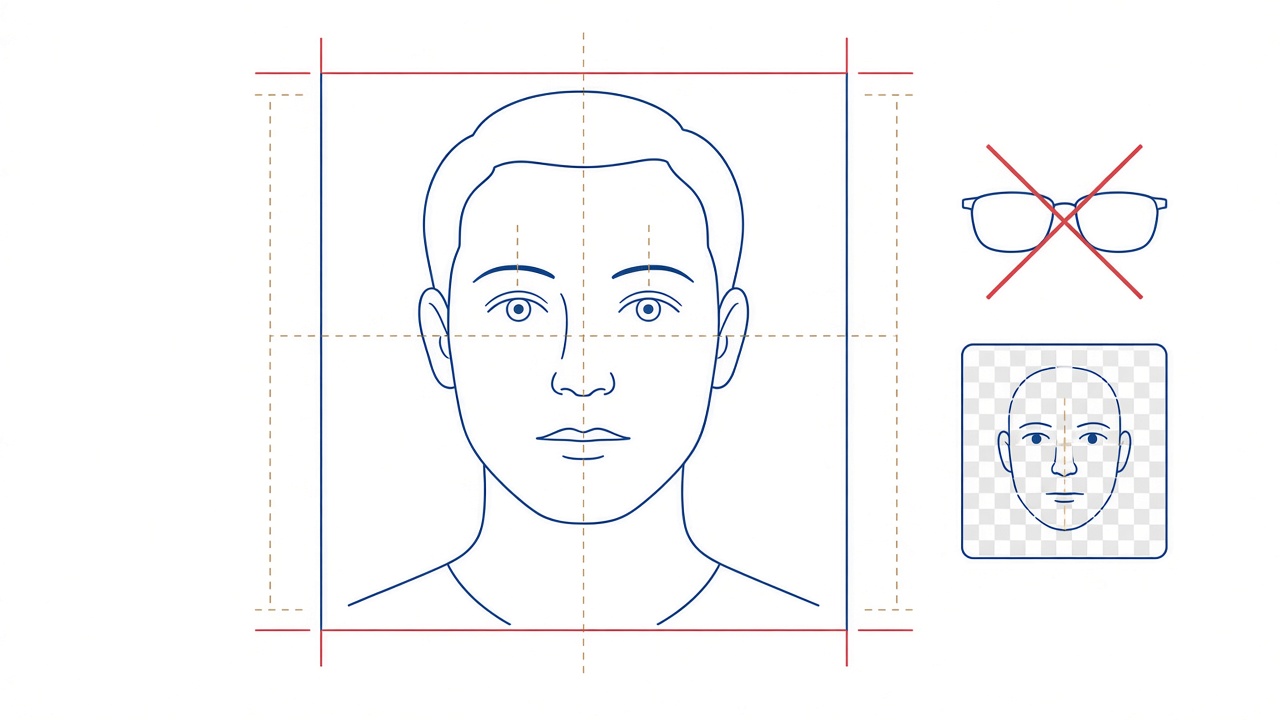
Head height, measured from the top of the hair to the bottom of the chin, must be 22–35 mm. In a digital image, the head should occupy approximately 50–69% of the total height. Composition is therefore not merely an aesthetic choice: the face must be centred with the correct amount of space above it.
Digital files and printed photographs
The required format depends on the application route. An online application may request a digital upload, whilst an interview or a particular visa category may require a printed photograph. Follow the instructions attached to your own application and embassy appointment. A successful online upload should not be treated as proof that a print can never be requested.
The digital file must be a square JPEG between 600 × 600 and 1200 × 1200 pixels. It must not exceed 240 KB, should use the sRGB colour space and must have compression no greater than 20:1. Reducing file size requires care. Excessive compression creates blocks and destroys fine detail even when the pixel dimensions appear correct.
A compliant print is not produced by simply printing any square image. It needs exact physical dimensions, correct facial scale, natural colour and suitable photographic output. If both digital and printed versions are needed, ask for two controlled deliverables prepared from the same properly lit capture rather than resizing a social-media copy.
Appearance, spectacles and head coverings
The pose must be full-face, without turning or tilting the head. Hair must not obscure the eyes, and the expression should remain natural and neutral. Keep the mouth relaxed and avoid a broad smile. Lighting should be balanced across the face, with no hard shadow behind the head or beneath facial features.
Eyeglasses are not allowed except in a rare case of documented medical necessity. Such a case requires an appropriate signed medical statement, and the lenses still must not create glare or hide the eyes. For almost every applicant, the practical rule is straightforward: remove spectacles before the photograph is taken.
Hats and head coverings must also be removed unless they are worn daily for a religious purpose. Where a covering is permitted, the whole face must remain visible and the fabric must not cast a shadow. Headphones, wireless devices and similar accessories should not appear in the image.
Babies and young children
Every child needs an individual photograph. No other person may appear in the frame, and the child should face the camera as directly as reasonably possible. A baby may lie safely on a plain white or off-white surface with support kept outside the frame. Hands, toys, a car seat and a dummy must not remain visible.
Neutral expression rules are applied realistically to very young babies, although open eyes and a fully visible face remain preferable. Safety takes priority over composition. Never force an infant into an unstable position; use calm, brief attempts and pause when the child needs feeding, soothing or sleep.
Older children benefit from a simple explanation before sitting down. Clothing can be comfortable and ordinary, provided it does not merge awkwardly into the background or hide the jaw. A familiar adult may stand close enough to reassure the child but must remain entirely outside the final frame.
Editing without changing identity
Technical preparation such as accurate cropping and export at the required size is different from retouching identity. Facial features, head shape, skin, eyes and hair must not be changed. Beauty filters, digital make-up, artificial smoothing and applications that reconstruct parts of the face can make the image inaccurate and unsuitable.
Digitally replacing a background can leave a halo around hair and shoulders. A properly lit white or off-white background at capture is more reliable. Repeated JPEG saving can also remove fine detail. Keep a high-quality master and create the application file once with controlled dimensions, colour profile and compression.
Common reasons for difficulty
- The file or print is not exactly square, or the head is too large or small.
- The background contains a shadow, seam, pattern or uneven grey area.
- Spectacles are worn without a documented exception, or glare obscures the eyes.
- The head is turned or tilted, the smile is excessive or the eyes are closed.
- The image is filtered, heavily retouched, low-resolution or over-compressed.
- An old photograph no longer represents the applicant’s present appearance.
Check the US Department of State photo guidance and its separate digital image requirements immediately before applying. Instructions for the particular form, visa category and embassy appointment remain decisive.
A useful pre-submission check
- Confirm whether your route requires a file, a print or both.
- Measure the square print and head height rather than judging by eye.
- Open the JPEG at full size and inspect edges, eyes and hair for artefacts.
- Confirm pixel dimensions, file size and sRGB colour.
- Carry any specifically requested print to the appointment without folding or marking it.
Passing an automated upload check is useful, but it is not final approval. Conversely, a file rejected by an online tool should not be repeatedly compressed without understanding the error. Correct the source, crop or export setting that caused the problem and retain a natural, detailed result.
Frequently asked questions
What size is the printed photograph?
It must measure 2 × 2 inches, equivalent to 51 × 51 mm. It is square, and the head must also fall within the official size range.
How large should the head be?
From the top of the hair to the bottom of the chin, head height must be 22–35 mm, or approximately 50–69% of digital image height.
What are the digital file specifications?
Use a square JPEG of 600 × 600 to 1200 × 1200 pixels, no more than 240 KB, in sRGB with compression no greater than 20:1.
May I wear spectacles?
Normally, no. The only exception is rare, documented medical necessity, with a signed statement and no glare or obstruction of the eyes.
May I smile?
A natural neutral expression with open eyes is required. Avoid a broad smile that significantly changes the facial features.
Do I need a print after a successful upload?
That depends on your application and interview instructions. Successful upload is not a universal assurance that a printed photograph will never be requested.
Can I use a selfie?
Selfies commonly introduce lens distortion, poor distance, shadows and insufficient detail. The image must meet every requirement regardless of the device used.
Can the face be digitally improved?
No. Cropping and technical export are acceptable, but facial features, skin texture, eyes, hair and the person’s true appearance must not be altered.
How should a baby be photographed?
Photograph the baby alone on a safe white or off-white background, without visible hands, toys, seat or dummy. Comfort and safety come first.
Does a compliant photograph guarantee acceptance?
No. Compliance reduces technical problems, but final acceptance is determined by the relevant US embassy or consulate.
Prepare the correct photograph and file
Panorama Studio has been based in Volos since 1989. For a controlled capture, application-ready JPEG and suitable print, contact the studio.



