
Airbnb photography
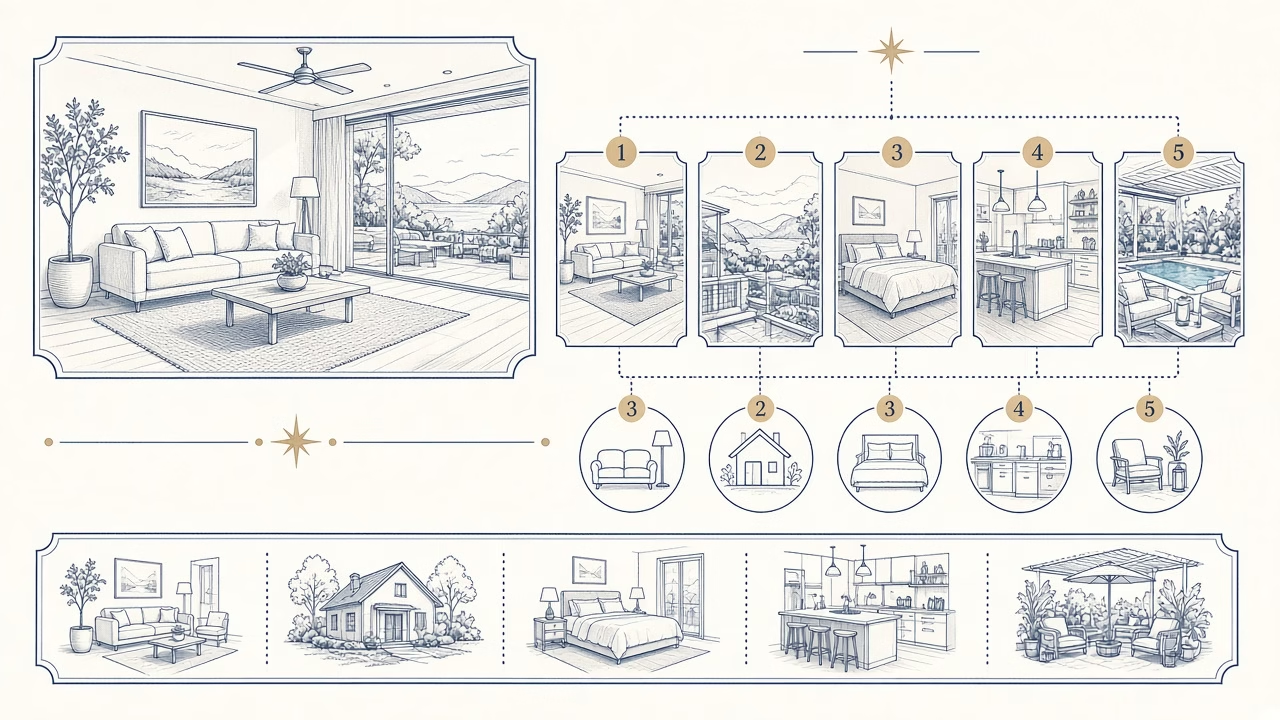
The opening images of a listing should quickly answer two questions: “What kind of place is this?” and “Why should I continue exploring it?” Airbnb currently says in official Help article 477 that the first five photos are prominently displayed on the listing and that the first is the large image shown in search. That is platform guidance. The particular sequence of spaces suggested below is a professional recommendation, not a mandatory Airbnb rule.
1. A strong and truthful cover
The first photograph needs a clear composition and a recognisable main advantage: the principal living space, the view, a courtyard, or another feature that genuinely defines the stay. Avoid leading with a close decorative detail that conceals the type of property. Do not use an outdated landscape, an excessively stretched perspective or processing that makes the room materially different from reality.
A strong cover is not always the most dramatic file from the shoot. It is the image that remains understandable at thumbnail size, represents geometry accurately and does not imply that an amenity is included with every booking when it is not. If a view is visible only from a shared area, clarify that in the caption and description.
2–5. Give each image a separate job
One adaptable sequence is: main space or exterior, key view, primary bedroom, kitchen or dining area, and one meaningful amenity. In a studio, however, the kitchen may already appear in the opening image. In a villa with a pool, the exterior may deserve two genuinely different views. In an urban flat without a notable outlook, a second room or functional feature is more informative than forcing a weak balcony image into the set.
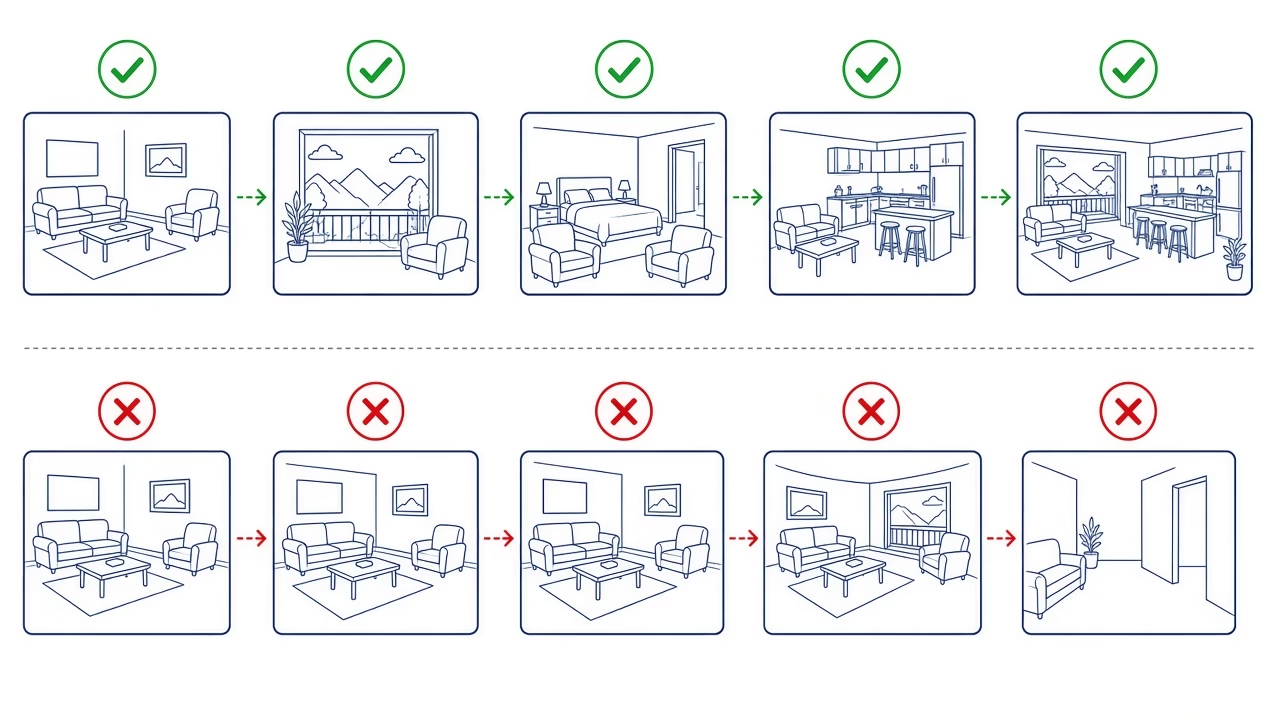
The goal is not to tick five categories mechanically. It is to minimise repetition. Five small angle variations of the same living room do not explain the accommodation. A wide view, a bedroom, the kitchen, the bathroom or a relevant amenity can build a quick mental map instead.
The Photo Tour affects organisation
Help article 477 explains that the Photo Tour can assign images to rooms using an AI system and that a host can add, move or remove photos and rooms. New files may be sorted automatically, so human review remains essential. A bedroom should not stay in the wrong category, and a shared courtyard must not be represented as a private space.
According to the current instructions in the same article, the first five can be reordered from the tour’s all-photos view. Interfaces can change, so check the active Listing editor and preview rather than relying forever on one set of steps. Automatic sorting is an organisation tool; it is not a platform endorsement of the listing’s accuracy.
Captions that explain rather than advertise
Airbnb’s Resource Center recommends adding room details and captions that explain information an image alone may not show, such as where a room sits in the floor plan, the type of bed or an amenity. A useful caption says “primary bedroom upstairs” or “the courtyard is shared.” It does more work than “wonderful place to relax.”
Captions should agree with the amenities section and full description. If a bed changes, furniture is removed, or an amenity becomes seasonal, update every relevant part. Consistency helps a guest understand what they are booking and reduces expectations accidentally created by an old image or vague claim.
Technical quality without distortion
In Help article 746, Airbnb currently advises hosts to prepare a clean, uncluttered space, use daylight and landscape orientation, and upload photos at least 1024 × 683 pixels. Those are published platform details at the time of writing and may be revised. A commercial shoot may deliver larger files, but resolution cannot repair poor preparation, inaccurate colour or unclear storytelling.
A wide-angle lens should reveal relationships within a room without artificially lengthening it. Correct leaning verticals, retain believable window light and grade files to represent actual colours. Where a view needs a separate exposure, blend it carefully without replacing or changing what was outside the window.
Adapting the order to the property
For seaside accommodation, the view may follow the cover immediately if it is genuinely visible from the stated area. For a family house, the living and dining layout, bedrooms and a usable outdoor space may matter more. For a compact city apartment, the efficient floor plan, main bed and work area might communicate more value than a generic building exterior.
Compare the candidates as small thumbnails. Ask whether consecutive photos look too similar, whether an important room is missing, and whether the first five show something unavailable for part of the year. There is no single fixed order that fits every Airbnb, and Airbnb does not publish such a universal sequence.
Reviewing the live listing
Preview the listing on both phone and desktop because crops and layout can differ. Inspect the search cover, opening five, Photo Tour categories and captions. If a meaningful detail disappears in the thumbnail crop, a different composition may solve the problem more honestly than stronger processing.
Views and booking data can suggest experiments, but they do not prove that one photograph caused a change. Price, seasonality, availability, reviews and demand also affect performance. Change one element at a time and record the date, without promising a specific increase in bookings.
Frequently asked questions
Does Airbnb require a fixed five-room order?
No. It says the opening five are important and prominent, but the sequence in this guide is an adaptable professional recommendation.
Which image should be the cover?
Choose the clearest truthful view of the main advantage, readable as a thumbnail and free from implications the actual stay cannot support.
Must the kitchen appear in the first five?
No. If it is small or already visible, a bedroom, view or defining amenity may provide more distinct and useful information.
Can two pool photographs appear there?
Yes, if each adds information, such as the pool’s relationship to the house and its seating, and availability is represented accurately.
What does Photo Tour do?
It organises images by room with automated assistance and manual controls. The host remains responsible for checking every final assignment.
Do the first photos need captions?
Captions help when they clarify location, privacy, bed type or an amenity. Avoid generic promotional adjectives that add no practical information.
How wide should the lens be?
Wide enough to explain the layout, but not so wide that furniture stretches at the edges and the room appears materially larger.
Can I use a seasonal cover?
Yes, provided it is replaced when it no longer represents the stay and does not imply a permanent amenity or guaranteed condition.
Should I trust automatic room sorting?
Use it as a starting point, then check each room, shared area, caption and sequence before publishing the tour.
Will better first photos guarantee bookings?
No. They improve presentation, while price, location, dates, reviews, competition and each guest’s needs also influence the decision.
Think of the five as a short tour
The right sequence is not simply a collection of the five most dramatic files. It is a brief, accurate tour that starts with a clear identity, reveals distinct spaces and leads naturally into the full Photo Tour. Review it whenever the property changes or the platform updates its presentation.
Follow us



Professional property photography
Need commercial photography for your accommodation?
FotoPanorama creates consistent imagery for Airbnb listings and hospitality websites, including cover selection, a recommended sequence and photographs that represent the space accurately.



